Return & Exchange
Returns are easy. Choose the option that works for you — exchanges and store credit come with a free return label. If you want a refund to your original payment method, the return label cost is deducted from your refund.
Prepaid return labels are available for customers in the United States, the European Union, the United Kingdom, and Australia.
Your Return Options
- Exchange for a different size or color — Free return label.
- Store Credit (+$15 bonus added) — Free return label.
- Refund to original payment — The return label cost is deducted from your refund: $5–$10 USD (United States) or €5–€10 EUR (Europe).
Eligibility — What Can Be Returned
All returns — whether for refund, exchange, or store credit — must meet these basics:
- Returned within 30 days of delivery (exceptions may apply).
- Unworn, unwashed, unstained, with all original tags attached.
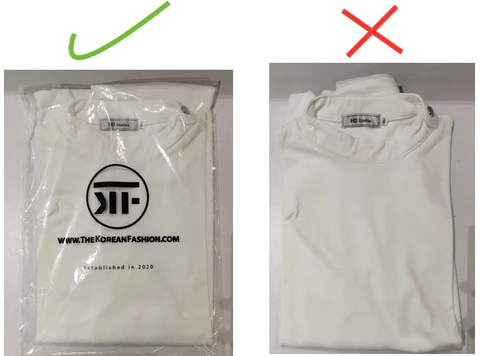
- In original packaging (plastic bags if available).
Beyond those basics, the options available depend on the item:
- Regular full-price items — eligible for refund, exchange, or store credit. All three options are available.
- Sale items (50% off or more) — final sale. Eligible for a one-time exchange only. Not eligible for refund or store credit.
- Jewelry — eligible for exchange or store credit only. Not eligible for refund, unless the item arrived damaged.
- Gift cards — not returnable under any circumstances.
- Items paid with store credit — final sale. Not eligible for refund.
- Damaged or incorrect items — eligible for a full refund or replacement with no label fees. A return may not even be required — please contact us or reach out via WhatsApp first.
Refund Details
- Return label fee — deducted from refunds to original payment method: $5–$10 USD (United States) or €5–€10 EUR (Europe). No label fee for exchanges, store credit, or damaged/incorrect items.
- Original shipping cost — the $6.99 outbound shipping (if charged) is not refundable.
- Restocking fee — none.
- Timing — refunds are issued within 5–10 business days after the return tracking shows "Delivered" to our warehouse. Check your account first — if the refund is still missing after this time, please contact us.
- Currency — refunds are always issued in the original payment currency. Any differences due to exchange rates or bank fees are handled by your payment provider.
Country Notes
Norway
Customers in Norway cannot use our EU return labels or send returns to our EU warehouses, as Norway is outside the EU. Returns must be handled manually.
Please contact us or reach out via WhatsApp before sending anything back.
We'll review your case and provide the correct return address and instructions.
How to Start Your Return
Preparing Your Package
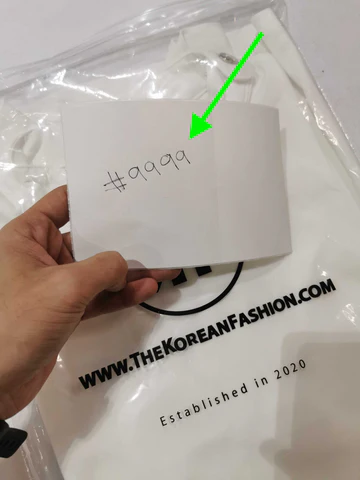
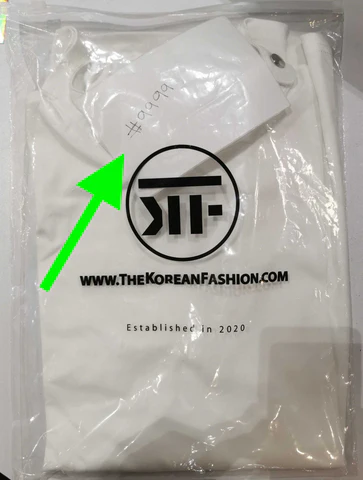
Place items in their original plastic bags (if available). Include a piece of paper with your order number inside the package.
Login to your account:
https://www.thekoreanfashion.com/account/orders
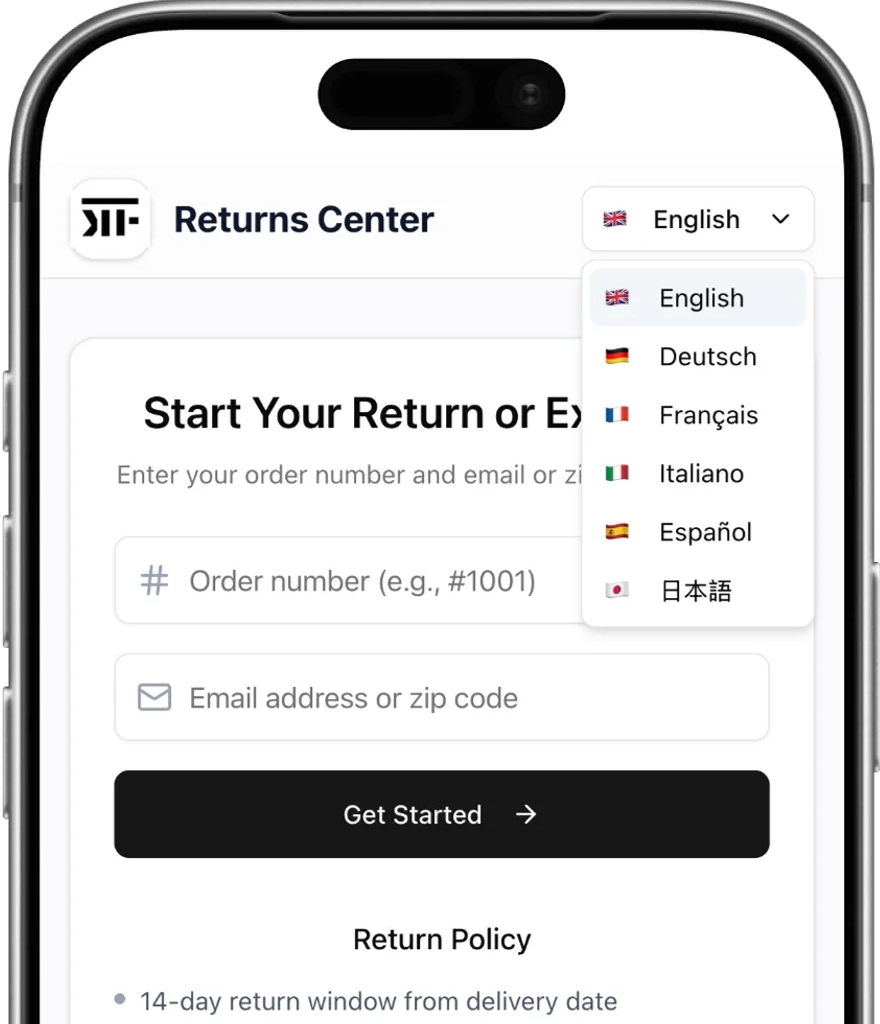
Click on "Return / Exchange"

Step 2: Select Items & Choose Your Option
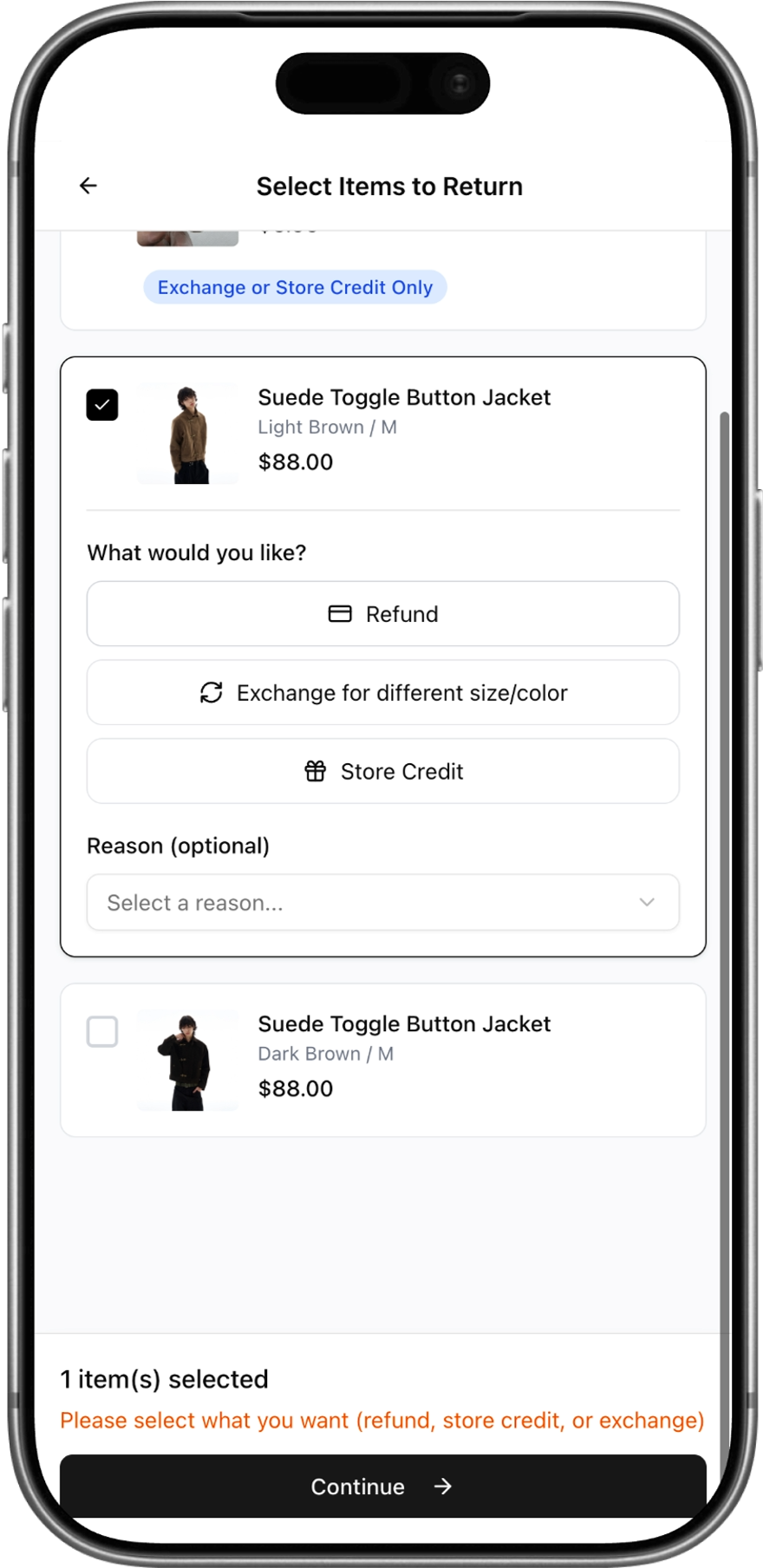
You'll see all the items from your order. Select the item(s) you'd like to return by tapping the checkbox. For each selected item, choose what you'd like to do — Refund, Exchange for a different size/color, or Store Credit. You can also select a reason for the return if you'd like. Some items may only be eligible for exchange or store credit, which will be shown with an orange label. Once you've made your selections, tap Continue.
Step 3: Review & Submit
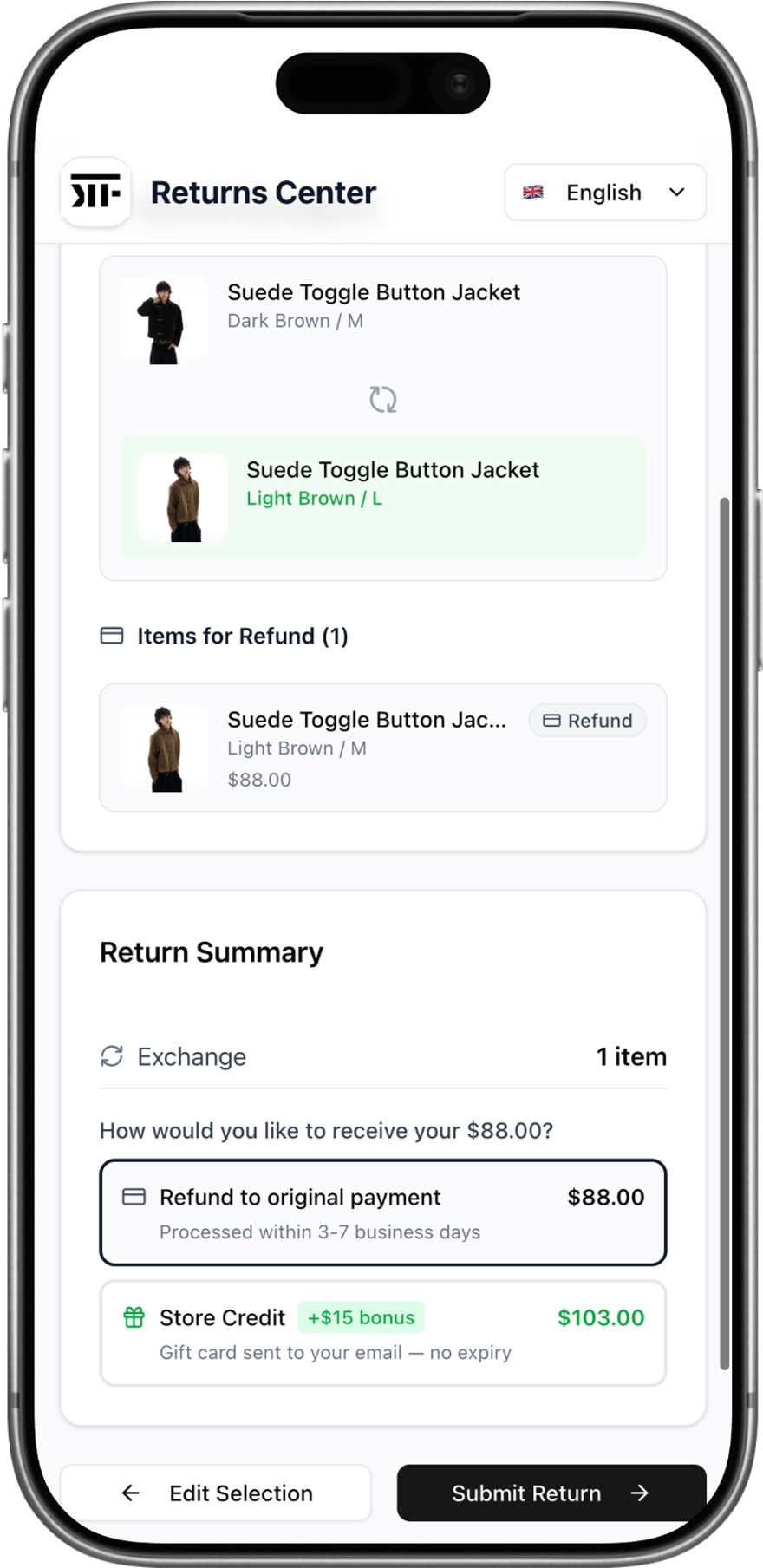
Before submitting, you'll see a full summary of your return. This includes any exchanges (shown with the original item and the new size/color you've selected) and items marked for refund. At the bottom, you'll choose how you'd like to receive your refund — either back to your original payment method (processed within 3–7 business days) or as Store Credit with a bonus $15 added on top, sent as a gift card to your email with no expiry. If anything looks off, tap Edit Selection to go back and make changes. When you're happy, tap Submit Return.
Step 4: Ship It Back
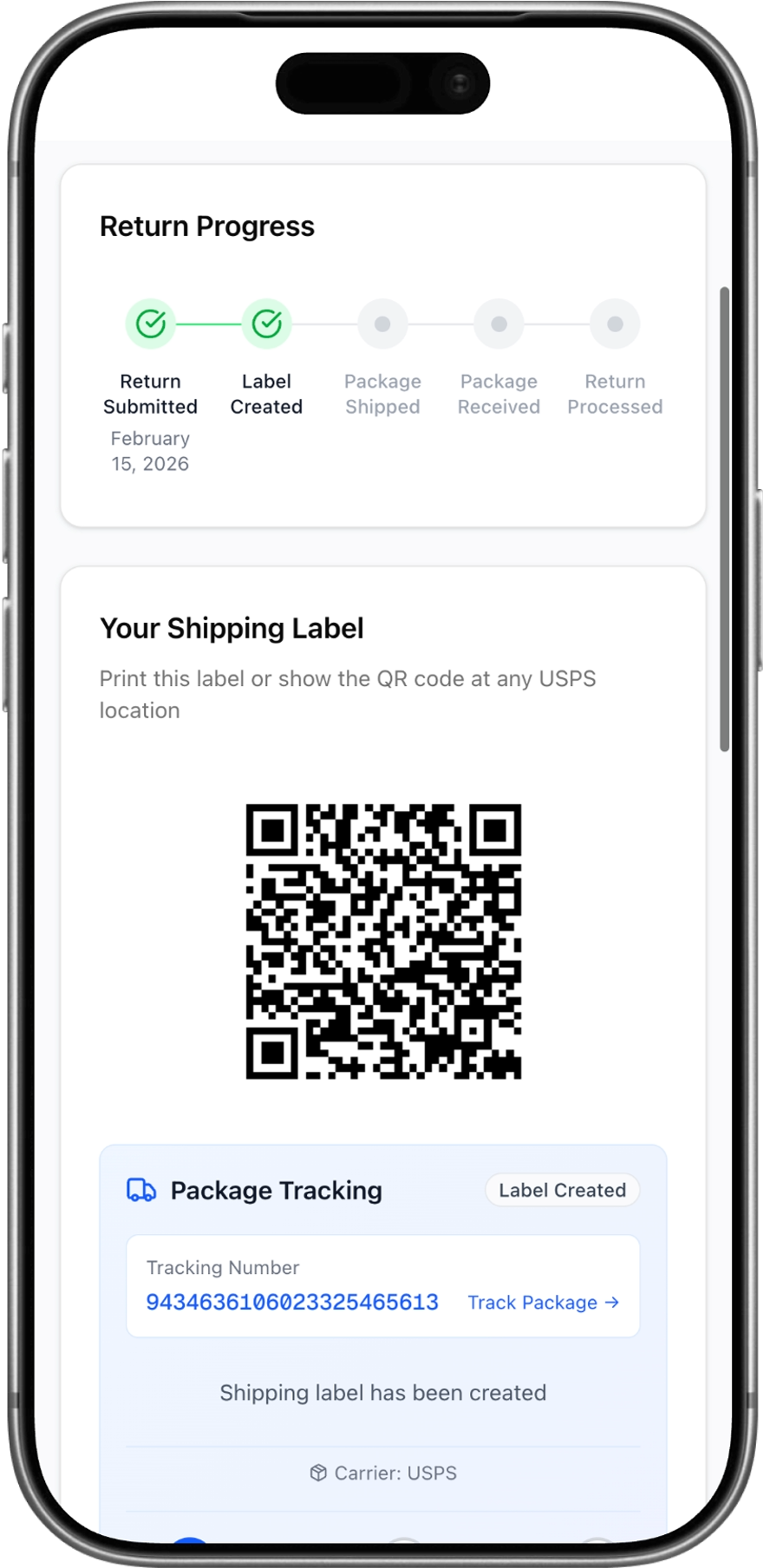
Once your return is submitted, you'll see a progress tracker showing each stage of your return — from submission through to processing. A prepaid shipping label is automatically generated for you. Depending on your location, you'll either receive a label that can be scanned or a QR code to show at your nearest drop-off point. A tracking number is provided so you can follow your package every step of the way. You'll also receive a confirmation email with all the details and shipping instructions.